



- How to find someone on Cash App
- Username, display name, and $Cashtag: what’s the difference?
- Step-by-step: finding someone in Cash App
- What information of yours is visible to other users on Cash App?
- Can You Hide Your Name on Cash App?
- Before you send money: verify you have the right person
- FAQs
- Did You Find This Article Useful?
Cash App, the ever popular fintech company, makes it as easy as it can be to send and receive funds to and from your friends. If you haven’t added them into your Cash App favorite’s list yet, finding them on Cash App through their username is a breeze.
How to find someone on Cash App
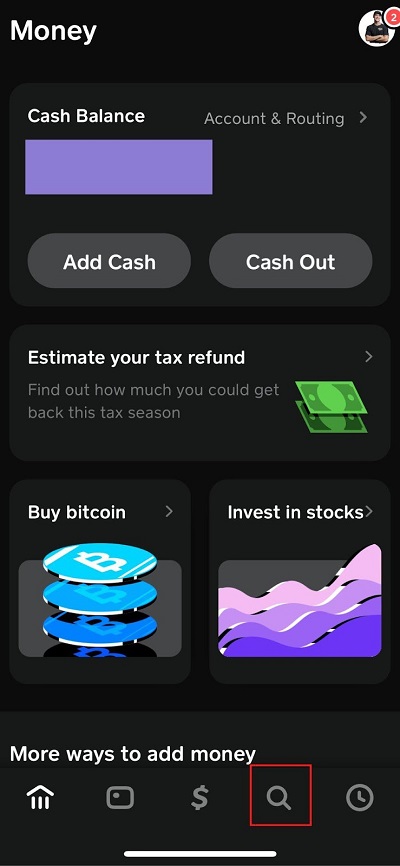
To find someone on Cash App, open the app, tap the search icon, and enter their name, $Cashtag, phone number, or email. You can also look someone up from a browser at cash.app/$theirCashtag without opening the app. Always confirm the name and photo match before sending money — Cash App payments are instant and generally can’t be reversed.
Username, display name, and $Cashtag: what’s the difference?
Users on Cash App have three different ways to find their friends, depending on how your friends set up their accounts. You can find someone on Cash App through their email, phone number, or unique $Cashtag.
Cash App users choose the email and phone number they want associated with their account, usually just using their own if someone else isn’t using it already.
$Cashtags work a little differently.
$Cashtags are a unique handle to everyone on the app. No two users can share the same $Cashtag. This is set by the account holder and it can be changed later. It is the most reliable way to find a specific person.
Bottom line: if you have someone’s $Cashtag, use it — it’s the one identifier guaranteed to point to exactly one account. Cash App has precautionary measures to ensure users don’t accidentally send money to the wrong person. If a random person sends you money on a Cash App, this could be a scam.
Watch Youtube Video: Cash App Tag explained in 2026
Step-by-step: finding someone in Cash App
- Open Cash App and tap the search icon.
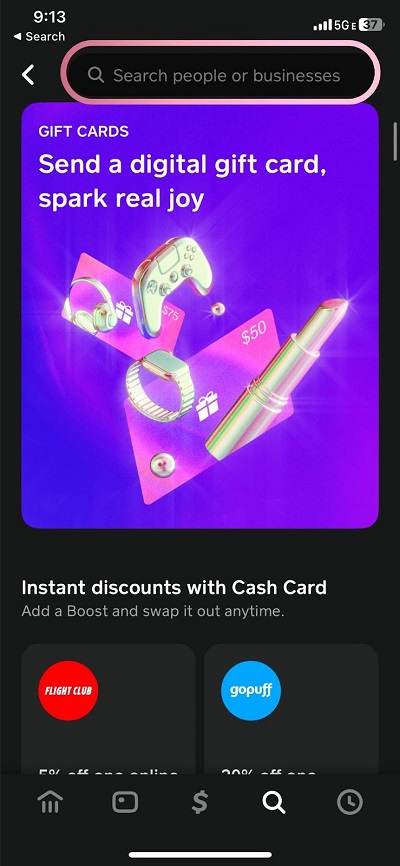
- Enter their $Cashtag, name, phone number, or email in the search bar.
- Review the results carefully. If you searched by name, you may see multiple matching profiles — check the profile photo and $Cashtag before proceeding.
- Tap their profile to confirm details before sending or requesting money.
Finding someone through your contacts
If you allow Cash App to access your phone contacts, the app can show you which of your contacts already use Cash App.
- Open Cash App and go to the search screen.
- Scroll down to see contacts who have a “Uses Cash App” indicator next to their name.
- Tap a contact to go straight to their profile.
You can turn contact access off at any time in your privacy settings if you’d rather search manually.
Finding someone on Cash App from web browser
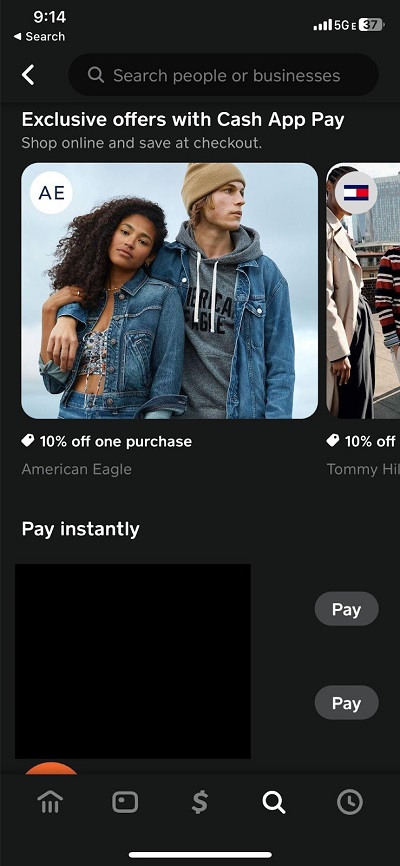
You don’t need the app installed to look up a public $Cashtag. Go to cash.app/$theirCashtag in any browser (replacing “theirCashtag” with the actual tag) to view their public payment profile page.
What information of yours is visible to other users on Cash App?
“Can someone find out who I am on Cash App” is a common question users ask.
Your $Cashtag is public by design. Cash App states directly that it isn’t private — it’s how people find you to pay you.
Users can view the following information on Cash App:
- Your profile name is generally visible to anyone you transact with.
- Your $Cashtag is always visible to people who search for you or send you money.
- Your profile photo and bio, if you’ve added one, is visible to people you interact with.
- Transaction history, for anyone you transact with, your profile will show the specific amount, date, and note attached to the payment.
However, Cash App has lower transaction and balance limits for users who haven’t verified their full identity.
Can You Hide Your Name on Cash App?
Yes. A user is able to maintain their privacy on Cash App, by hiding their name.
For some users who would like to use their transfer apps anonymously, they can choose their own display name that’s different from their legal name.
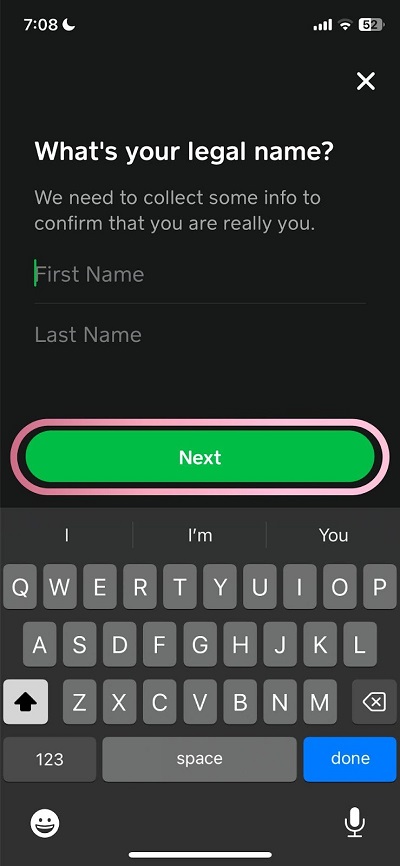
However, Cash App still requires a user’s legal name and identity information for verification regardless of what’s publicly visible.
Users can use anything they want for a $cashtag as well, so long as they’re not pretending to be someone else.
How to manage your privacy in Cash App
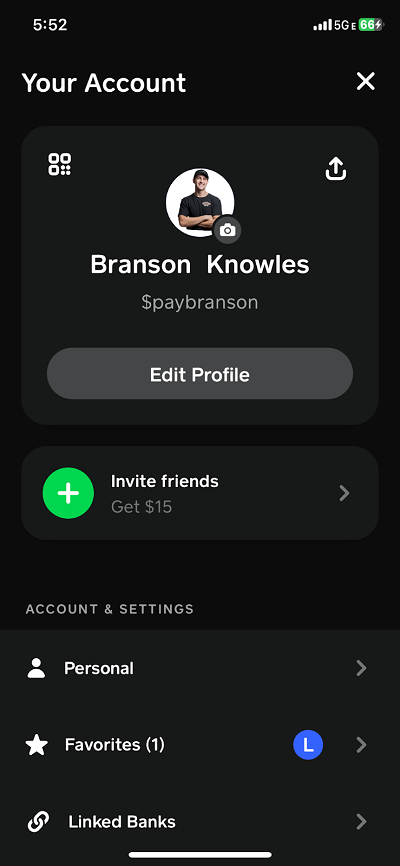
- Go into Cash App and tap the profile icon in the top-right corner of the home screen.
- Select Privacy.
- From here you can typically manage:
- Whether your contacts list is visible to others
- Whether your $Cashtag appears in search
- Who can send you payment requests
The same goes for your display name on the app.
How to change your display name or $Cashtag
- Open Cash App on your phone.
- Tap your profile icon in the top right corner of the home screen.
- Select Edit Profile.
- Tap your current $Cashtag field or Profile Name
- Type your preferred Profile Name or $Cashtag. Tap Set to confirm.
You can change your $Cashtag or display name a limited number of times.
Before you send money: verify you have the right person
Because $Cashtags and display names aren’t always unique-looking at a glance, and because Cash App payments can’t be undone once sent, take a moment before you tap Pay:
- Check the profile photo, not just the name.
- Ask the recipient to confirm their $Cashtag directly (by text, call, or in person) rather than relying on a saved contact or a name search alone — this is the single best defense against sending money to an impersonator.
- Be extra cautious with strangers, sellers you haven’t worked with before, or anyone who pressures you to send money quickly.
- Remember: Cash App payments are instant and generally cannot be canceled or reversed. If you’re not certain, don’t send.
If you believe you’ve sent money to the wrong person, Cash App can’t cancel or refund a payment after it’s been completed. If a user sends money to the wrong account, they will have to contact the recipient directly.