


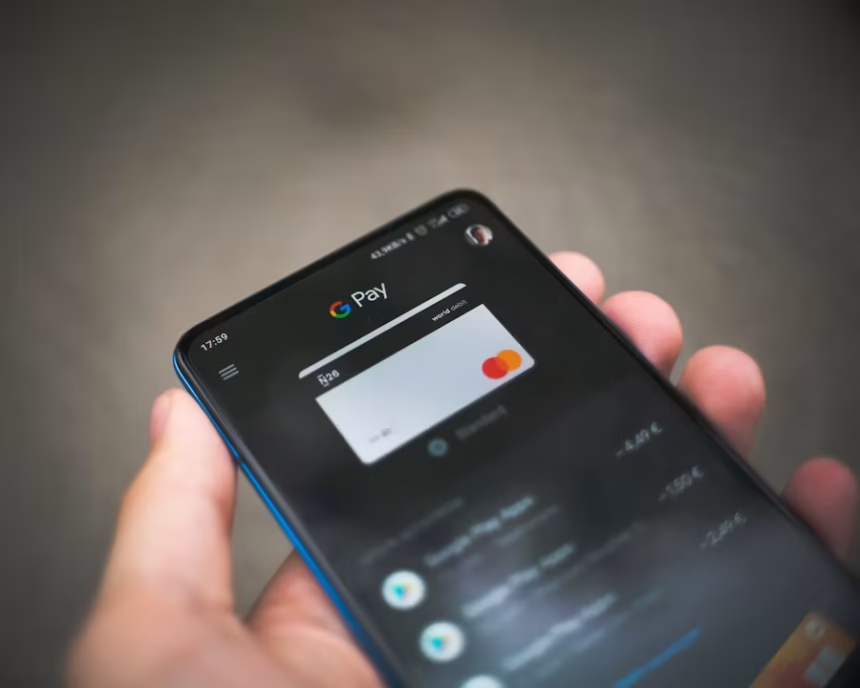
Digital payments are a core part of our modern financial landscape, and at the centre of these are Apple Pay and Google Pay. As stats show, more of us are making payments with our mobile devices than ever before, and these two options are perhaps the biggest players in that space.
- What Are Apple Pay and Google Pay?
- Apple Pay vs Google Pay: Key Differences
- How Do Apple Pay and Google Pay Work?
- Which Devices Support Apple Pay and Google Pay?
- Apple Pay vs Google Pay: Security
- Apple Pay vs Google Pay: Fees and Costs
- Which Is Easier to Use?
- Apple Pay vs Google Pay: Pros and Cons
- Which Payment Service Is Better?
- Apple Pay vs Google Pay: Final Verdict
But what are the differences between the two? Is one better than the other? And how might their rules in our financial world continue to evolve over time? Anyone who’s ever wondered these questions is in luck as we dive deep into this in this blog article.
What Are Apple Pay and Google Pay?
While most of us are already familiar with them, it’s worth exploring exactly what Apple Pay and Google Pay are. Essentially, Apple Pay and Google Pay are digital wallet platforms that allow you to store credit and debit cards, as well as digital documents such as boarding passes, event tickets, and more.
These are tied to specific mobile devices, which is the ultimate appeal. As the name suggests, these digital wallets can replace a physical wallet, since one mobile device can hold all your bank cards, tickets, and more. These are accessed via facial recognition and/or fingerprint scanning to ensure security. Between Apple Pay and Google Pay, hundreds of millions of users are finding greater financial access and convenience.
Apple Pay vs Google Pay: Key Differences
While Apple Pay and Google Pay generally fulfil the same function, there are some differences to be aware of:
- Device Compatibility: Apple Pay is available exclusively on Apple devices, including iPhones, MacBooks, Apple Watches, and more. Any device not running the Apple operating system cannot access Apple Pay. Google Pay, on the other hand, is used exclusively on devices running the Android operating system.
- Detail Storage: Payment details in Apple Pay are encrypted and stored on a local chip, while Google Pay relies on cloud-based storage. In both cases, the sensitive details of the user are encrypted and thus kept safe.
How Do Apple Pay and Google Pay Work?
Many of us who have used Apple Pay or Google Pay will be curious about how they actually work. How does your phone suddenly allow you to make purchases? The truth is that this is done through a combination of tokenization and near-field communication technology. Essentially, when your card details are uploaded to Apple Pay or Google Pay, they are encrypted and replaced with a unique code for security. When you use fingerprint or facial recognition, you essentially grant temporary access to these payment cards and the funds attached to them. When you hover your phone near a point-of-sale device,
Which Devices Support Apple Pay and Google Pay?
Apple Pay is supported by all mobile devices and computers that use the Apple OS. This includes iPhones, MacBooks, Apple Watches, and much more. Google Pay, on the other hand, is available on devices running the Android operating system.
Apple Pay and Google Pay can be used at any in-person merchant that has a POS machine enabled for contactless payments. Online, any merchants that have Apple Pay or Google Pay enabled can accept payments from either service.
Apple Pay vs Google Pay: Security
Apple Pay and Google Pay have somewhat different approaches to security. Your encrypted payment details are stored on a microchip inside your device itself when paying with Apple Pay. Google Pay, on the other hand, stores these details on remote cloud services.
Apple also notoriously does not store transaction details, history, or card information and so does not have much access to your payment information. Google Pay, on the other hand, routes transactions through servers, which means they have some level of access to your transaction patterns.
Apple Pay vs Google Pay: Fees and Costs
One notable thing about Apple Pay and Google Pay is that both are completely free to use. Apple and Google will never charge you any money for making a payment using the contactless option on the devices.
The only payments that ever come through are from the banks/merchants. While both Apple Pay and Google Pay don’t charge merchants any transaction fee, Apple does take a 0.15% cut of banks’ interchange fee in specific regions.
Google does not charge any such fee and instead leverages the information it collects from its transaction network to improve advertising and customer experiences.
Which Is Easier to Use?
Generally speaking, both Apple Pay and Google Pay are very easy to use. With Apple Pay, you simply tap a specific button on your phone to activate facial recognition and approve the purchase. For Google Pay, just open the app and hold the phone towards the reader.
It is worth noting that Apple Pay is pre-installed on all eligible devices, so you don’t have to do anything to use it beyond adding the cards you want to use. Google Pay is a bit more complicated: on some devices, you will have to download the app directly from the Play Store.
Apple Pay vs Google Pay: Pros and Cons
While both payment options are great in their own right, they each have pros and cons.
Pros of Apple Pay
Seamless Connection to the Apple Ecosystem: Once you set up Apple Pay on one of your devices, you can then access it using all of your connected devices. This means having Apple Pay not only on your phone but also on your MacBook, Apple Watch, and so on seamlessly.
High Emphasis on Privacy: As we’ve said, Apple encrypts the card details and does not store your transaction history, so you have maximum privacy.
Offline Use: Apple Pay can be used even without an internet connection
Cons of Apple Pay
Limited to the Apple ecosystem: Apple Pay cannot be used on any non-Apple devices.
Pros of Google Pay
Wider Availability: Google Pay is not limited to a specific brand of phones or devices; it can be used on any Android device worldwide. This makes it an especially good choice if you live in an area where Android devices are popular.
Cons of Google Pay
Complex Setup: Unlike Apple Pay, which is available by default on all Apple devices, Google Pay sometimes needs to be set up manually, and depending on the device’s biometric capabilities, this can be inconvenient.
Less Privacy: Compared to Apple Pay, Google Pay relies on cloud-based servers, and the information can be used for customer experience personalization
Which Payment Service Is Better?
Both Apple Pay and Google Pay represent convenient and high-quality contactless payment options for consumers. The answer to which one is better ultimately depends on your specific needs
| Feature | Best Option | Summary |
| Privacy | If you value absolute privacy when it comes to your transactions, Apple might be the better option for you simply because it encrypts all payment information and does not store transaction history. | Apple |
| Accessibility | If you want the most widely available payment option, Google Pay is probably your best choice. Apple Pay is limited to Apple devices, whereas Google Pay can be used on a variety of devices that run Android. | Google Pay |
| Brand Loyalty | If you are already a heavy Apple user and have an entire suite of products, Apple Pay is likely the most convenient option as it fits seamlessly into your current lifestyle. Likewise, if you have primarily Android devices, Google Pay would probably be your best bet. | Depends on current use |
| Offline Use | Apple | If you expect to make frequent offline payments, Apple is the better option. |
Apple Pay vs Google Pay: Final Verdict
Ultimately, neither Apple Pay nor Google Pay is inherently better than the other. Each has its own benefits that consumers might want to tap into. While Apple Pay has offline use and greater privacy, Google Pay has wider accessibility and could contribute to more personalized ads and a consumer experience. We recommend considering the pros and cons of each and choosing the one that works best for you.