


Last Updated on October 26, 2026 by Domenica
- 3 Ways to Pay for Tinder Discreetly
- 1) Through the Apple App Store payment
- 2) Through Apple App Store or Google Play Store with a linked PayPal or Cash App card
- 3) Using Apple App Store or Google Play Store Gift Card
- What Cards Does Tinder Accept Directly?
- What Does a Tinder Transaction Appear As On a Credit Card Statement?
- Can You Get Tinder Gold With A Gift Card?
- What Can You Pay For On Tinder?
- What is the Difference Between Spending Money On Tinder And Free Tinder?
- How To Cancel Tinder Subscriptions
- How To Delete Your Tinder Account
Paying for Tinder and getting the most out of the fun dating app can be exciting, but what if, for whatever reason, you don’t want that transaction popping up on credit card statements?
Say you share a checking account with one of your parents; maybe you owe them some money and they take it out of the account every so often. How awkward would it be for them to see? At the very least, that’s a conversation nobody wants to have.
Maybe you could explain it away. You could try to say it’s an old, recurring charge but why bother putting yourself in that position anyway?
Some people may try and get around this issue by using prepaid cards on Tinder, but can you? Sometimes, but it’s unreliable. Tinder’s Help Center says some gift cards, prepaid cards and debit cards may not support recurring payments, so they can fail for subscriptions. Fortunately, there are reliable workarounds.
3 Ways to Pay for Tinder Discreetly
Tinder has reasons why they don’t accept prepaid cards, gift cards, or other payment methods that can be considered anonymous. The main reasons are likely fraud prevention and making sure recurring payments go through.
Still, there are certain ways to pay for Tinder, not anonymously, but at least discreetly:
1) Through the Apple App Store payment
The most common way to pay for Tinder is through In-App purchases. And luckily for Apple device users, this is a relatively private payment method.
If you pay through Apple App Store, even if your credit card is linked to it, the specification of the payment will not appear on your bank statement. Instead, it appears as “APPLE.COM/BILL,” with no mention of Tinder.
As for Android users, it is more tricky. When you pay through Google Play with a linked card, the charge usually appears as “GOOGLE *Tinder” on your bank statement. Read further to learn a workaround for it.
2) Through Apple App Store or Google Play Store with a linked PayPal or Cash App card
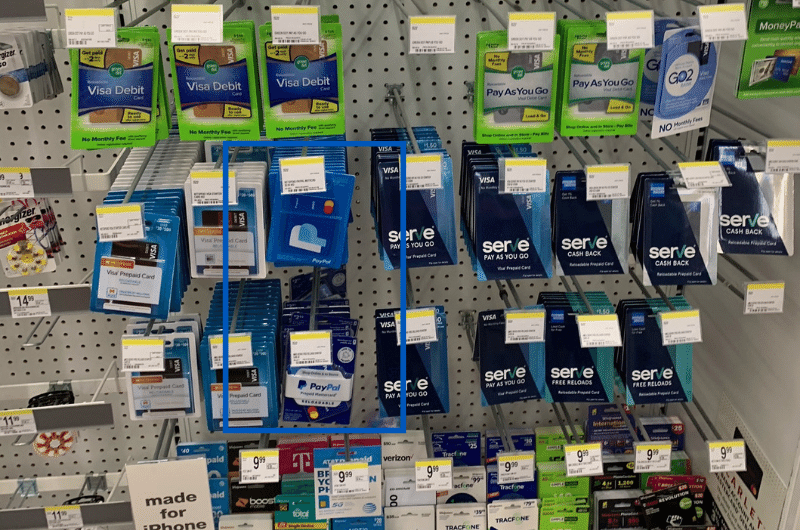
What is the best way to tackle the issue if you don’t want Tinder transactions to appear on your bank statement? Right, to eliminate your bank card from the equation.
Here are 5 steps on how to do it:
- Unlink your bank card from the App Store or Google Play account
- Buy in-store or order a new payment card. Two good options are PayPal or Cash App cards.
- Fund your new card, preferably with cash. This can be done in Walmart, Walgreens, 7-Eleven, and other popular stores.
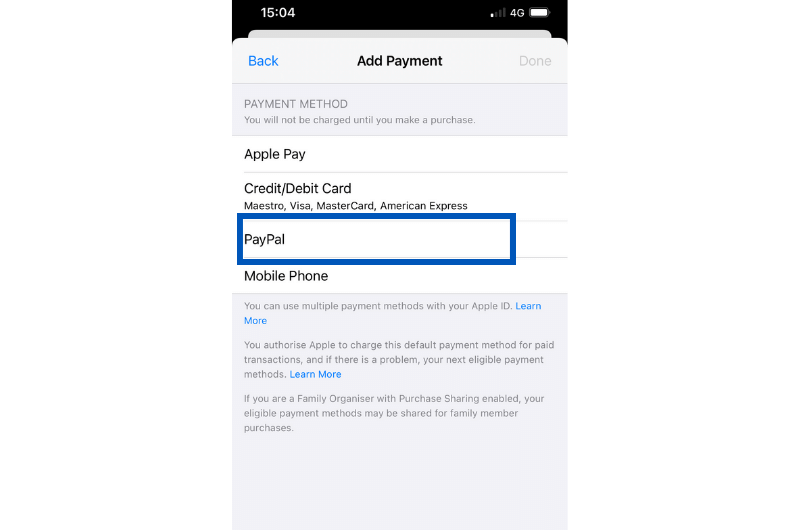
- Link your new card to your App Store or Google Play account.
- Pay for a Tinder subscription through App Store or Google Play with your updated payment method.
This way, you direct Tinder transactions away from your bank to your PayPal or Cash App accounts.
You can also link your PayPal account to the App Store or Google Play instead of a PayPal card.
3) Using Apple App Store or Google Play Store Gift Card
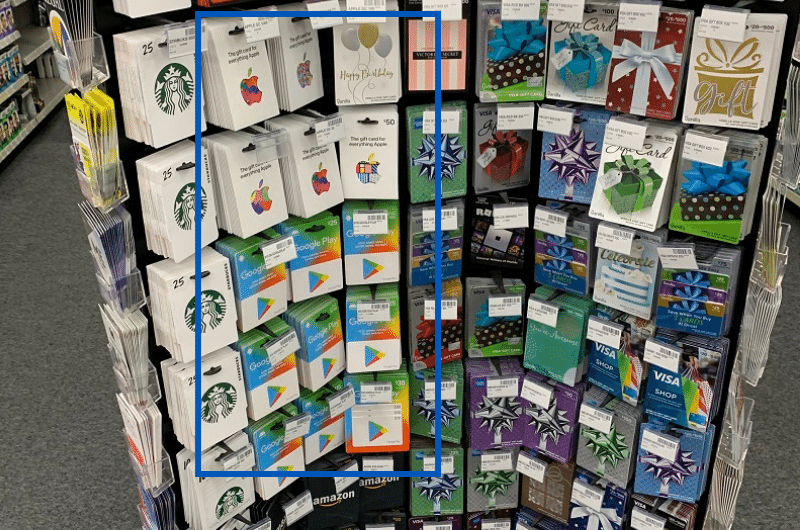
It’s probably the easiest private way to pay for Tinder. But, use the method mindfully to avoid transactions going through your bank card.
- Buy App Store or Google Play card online or in store.
- Redeem the card to top up the App Store or Google Play balance.
- Pay for Tinder through In-App purchases.
Until there is enough balance on your App Store or Google Play account, Tinder In-App purchases will not go through your bank card. But make sure to fund it in advance because transactions will go through your linked bank card if there is not enough balance on your App Store or Google Play account.
You can combine all three methods for more privacy.
That said, before using App Store or Google Play Gift Cards to pay for Tinder, you can unlink your bank card and substitute it with a PayPal account or Cash App card.
What Cards Does Tinder Accept Directly?
If you pay directly through Tinder or Tinder.com, you can use most Visa, Mastercard and American Express credit and debit cards. Tinder also accepts PayPal and, in some locations, Google Pay and Venmo (on the web only).
Note: Tinder only accepts American Express in select countries.
While some people would like to keep Tinder transactions off of their records, there’s no truly anonymous way to use money on the app.
Tinder doesn’t accept cryptocurrency.
What Does a Tinder Transaction Appear As On a Credit Card Statement?
It depends on how you purchase Tinder.
If you purchase Tinder through your Apple ID on an iPhone, the charge appears as “APPLE.COM/BILL,” with no indication of which app it was for.
If you purchase through the Google Play Store, the charge typically appears as “GOOGLE *Tinder,” so Android purchases aren’t very discreet.
If you pay directly on Tinder.com, the charge usually appears as “TINDER” or “GOTINDER.COM.” Not exactly the best for discretion, is it?
Can You Get Tinder Gold With A Gift Card?
Yes, indirectly. Redeem an App Store or Google Play gift card to your account balance, then subscribe to Tinder Plus, Gold or Platinum through the app. The subscription renews from your balance as long as it covers the charge. Paying with a prepaid card directly on Tinder is less reliable, since some prepaid cards don’t support recurring payments.
What Can You Pay For On Tinder?
Tinder’s paid content focuses on subscriptions. They have three options users can pick from: Tinder Plus, Tinder Gold, and Tinder Platinum. Each subscription comes with features meant to enhance your experience, with each option better than the last.
If you want to keep it simple, you can just buy Super Likes from the settings portion of Tinder. If you don’t know, Super Likes are a way to make yourself stand out on Tinder. If you Super Like someone, they’ll see that you did so when their profile appears for you.
If you’re a subscriber to Tinder Gold or Tinder Platinum, you get five free Super Likes a week. If not, you can buy Super Likes in the app. Prices for Super Likes and subscriptions vary based on your location, age and plan length, so check the app for your current price.
What is the Difference Between Spending Money On Tinder And Free Tinder?
At its core, every Tinder user will be able to swipe on potential matches to try and connect. There are three subscription tiers Tinder offers to enhance this experience, or give users more chances.
First is Tinder Plus. Tinder Plus subscribers gain access to unlimited likes, unlimited rewinds (the ability to go back after not liking someone), the ability to appear anywhere in the world, and no advertisements!
Tinder Gold subscribers get all of these features plus five Super Likes a week, one free boost a month, the ability to see who likes them back and new top picks every day. Not bad for a mid-tier.
If you really want to get everything out of Tinder, and want every advantage when it comes to your online dating life, you may want to check out Tinder Platinum.
It comes with everything from the first two tiers plus prioritized likes, the ability to see who likes you and the ability to message people before you even match with them!
Almost like cheating the system.
How To Cancel Tinder Subscriptions
While it may be fun to live limitlessly on Tinder, with all the likes in the world, it costs money. Better yet, it’ll appear on your bank statements, letting anyone else on the account know.
If you ever want to cancel your Tinder subscription, you can. First, make sure you actually cancel your subscription. Closing the Tinder app or deleting it off of your phone won’t stop any subscriptions you have.
If you made the subscription through the Apple App Store, you can cancel it through your settings:
- Open your Settings app
- Tap your name
- Tap subscriptions
- Select Tinder
- Tap Cancel Subscription
If you made the purchase through the Google Play Store, the cancellation process is likely the same. To cancel your subscription using your Android phone:
- Open the Google Play app
- Tap the profile icon in the top right corner of the screen
- Tap Payments And Subscriptions
- Tap Subscriptions
- Select Tinder
- Tap Cancel Subscription
Finally, if you went straight through Tinder to subscribe, you can cancel by:
- First, go to Tinder.com or go to the app and sign in
- Tap the profile icon
- Tap Manage Payment Account
- Tap Cancel Subscription.
And there you have it! Your Tinder subscription should be canceled once you complete these steps. You’ll still have access to your account for the remainder of the billing cycle, and because of this they won’t prorate you based on when you canceled.
How To Delete Your Tinder Account
If you ever want to delete your Tinder account, don’t worry about it being a long and difficult process. It’s actually really easy.
While Tinder may not want to see you go, they allow their users to delete their own accounts in just a few short steps:
- Open and sign in to the Tinder app
- Tap the profile icon in the bottom-right corner.
- Tap the Settings gear icon
- Scroll to the bottom and tap Delete account.
- Select Delete my account (choose “Pause” if you only want to hide your profile temporarily).
- Pick a reason for leaving or tap Skip, then confirm by tapping Delete my account again.
If you just want to take a temporary break from the action Tinder actually has an ability to temporarily hide your account.
You can temporarily hide your account through ‘Turn Off Discovery’
-
Do steps 1-3 above
-
Scroll down to the Discovery section.
-
Toggle off Enable Discovery (or Show me on Tinder).
Other useful guides:
- How to Pay for OnlyFans Discreetly (Keep it Private)
- 5 Cash App Bitcoin Scams (Easy Ways to Spot It)
- How to Transfer Mastercard Gift Card to Bank Account
- Find Out If Cash App Shows Your Name (Is It Anonymous?)
- How to Get Cash App Statements and More Tips